


Cornell Notes Template
A printable Cornell note-taking page with a cue column, a ruled notes area and a summary box. Adjust the layout and print as many as you need.
Print at “Actual size” or 100% scale so the spacing comes out exactly as set. Everything is made in your browser; nothing is uploaded.
Ready-made Cornell notes PDFs
Just need one sheet? Download a finished template in Letter or A4.
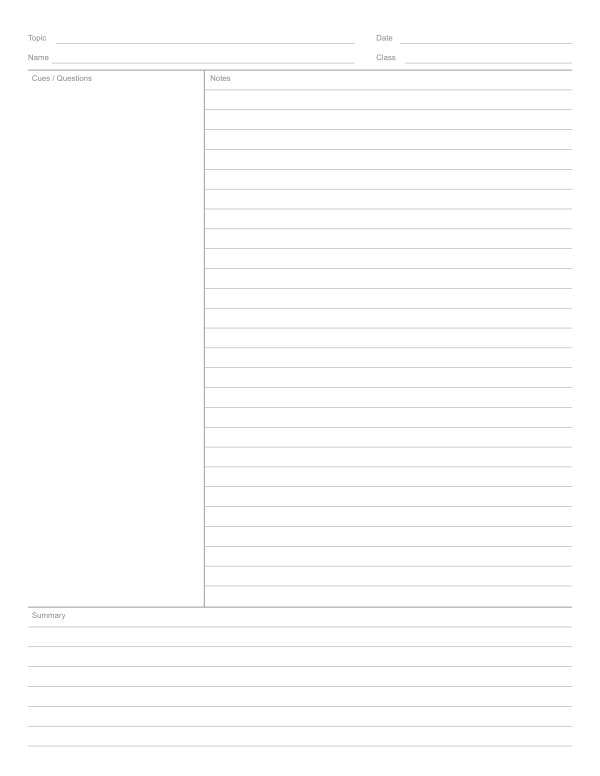 Classic Cornell notes
 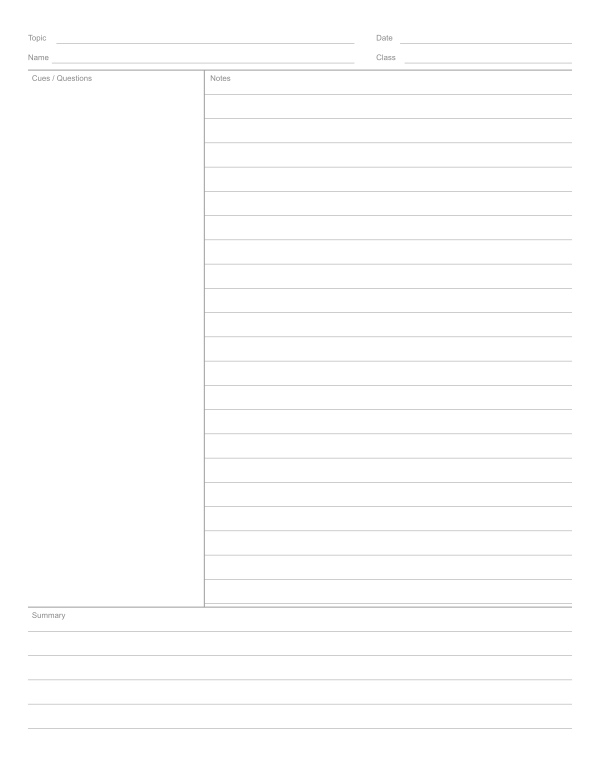 Cornell notes, wide ruled
 How to make a Cornell notes template
- Set the layout Choose the cue column width and the height of the summary box.
- Pick line spacing College ruled for most students, wide ruled for younger writers.
- Choose paper size Letter or A4, portrait.
- Print or download Download a PDF with as many pages as a lecture or unit needs.
What is the Cornell note-taking method?
The Cornell method was developed in the 1950s by Walter Pauk, an education professor at Cornell University, and described in his book How to Study in College. It divides each page into three areas so that taking notes, reviewing them and summarizing them happen on the same sheet.
| Area | Where | What goes in it |
|---|---|---|
| Notes | Large right column | Notes during the lecture or reading: main ideas, facts, examples, diagrams |
| Cues | Narrow left column, about 2.5 in | Questions, keywords and prompts added after class |
| Summary | Box at the bottom, about 2 in | Two to four sentences summing up the page in your own words |
How to take Cornell notes
- Record. During class, write in the notes column only. Use short phrases, abbreviations and bullet points; skip lines between ideas.
- Question. Within a day, read your notes and write questions or keywords in the cue column next to each idea. “What causes…?” and “Why does…?” work well.
- Recite. Cover the notes column and answer the cue questions aloud from memory, then check.
- Reflect. Write the summary at the bottom: what is the big idea of this page, and how does it connect to what you already know?
- Review. Before a test, use the cues and summaries as a ready-made study guide.
Adjusting the template
The classic proportions are a 2.5 inch cue column and a 2 inch summary box on Letter paper. If you write a lot of questions, widen the cue column to 3 inches; if your teacher asks for longer summaries, make the summary box taller. Younger students usually do better with wide ruled lines. The header has spaces for topic, date, name and class so pages stay organized in a binder.
Frequently asked questions
What are the three sections of Cornell notes?
The notes column on the right, the cue column on the left for questions and keywords, and the summary box at the bottom.
How wide is the cue column in Cornell notes?
The classic layout uses a cue column of about 2.5 inches and a summary area of about 2 inches on a Letter page. You can change both here.
Who invented Cornell notes?
Walter Pauk, an education professor at Cornell University, developed the method in the 1950s.
Can I print Cornell notes on A4 paper?
Yes. Choose A4 under Paper size or download the A4 preset.
Should the cue column have lines?
Traditionally it is left blank so you can write questions anywhere, but you can turn on lines in the cue column if you prefer.
 Lined paper
  Dot grid paper
  Graph paper
  Engineering paper